Quick answer
A carbon fiber RFID wallet needs very little care: wipe it with a soft, slightly damp microfiber cloth, dry it right away, keep the card mechanism free of receipts and grit, and don't overstuff it. Avoid soaking it, harsh solvents and long stretches in a hot car. For the AirTag, check the battery level in the Find My app and swap the CR2032 coin cell when your iPhone tells you it's low. Ten minutes a month keeps the wallet looking new and the tracker ready the day you need it.
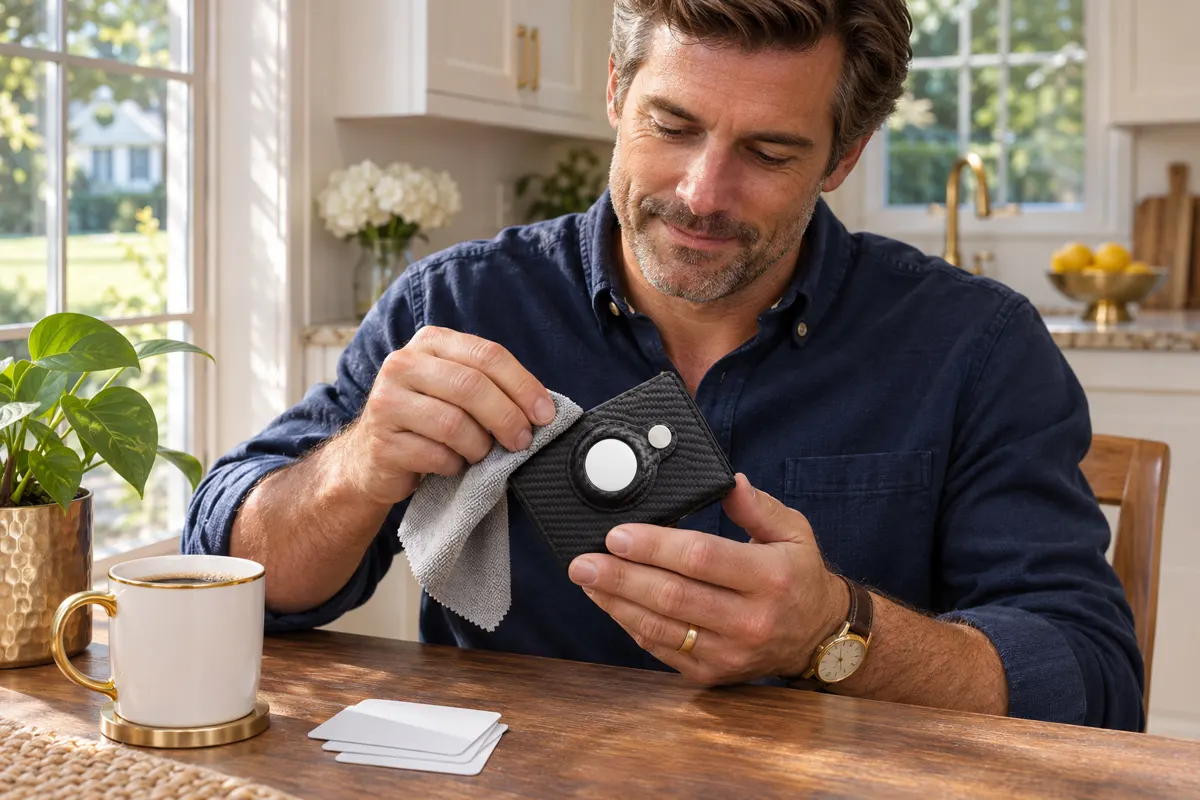
One of the nicest things about a modern carbon fiber wallet is how little it asks of you. There's no leather to condition, no stitching to fray and no bulky bifold that slowly bends to the shape of your back pocket. But “low maintenance” isn't “no maintenance.” Pocket lint builds up around the card lever, receipts get jammed, and the AirTag in its holder quietly runs down its battery. This guide covers how to clean, store and maintain a smart wallet like the SafeTrack Wallet — and when in doubt, always follow the instructions that came with your wallet.
Why care matters for a smart wallet
- The card mechanism: A slide or pop-up lever works best when the card bay is clean and not overloaded.
- The closure: Grit on a magnetic or snap closure makes it feel loose over time.
- The tracker: An AirTag with a dead battery is just a coin in a holder. Keeping it charged is the whole point of the slot.
- The look: Carbon fiber texture shows fingerprints and pocket grime, but it cleans up in seconds.
How to clean a carbon fiber wallet, step by step
- Empty it. Take out cards, cash and the AirTag so nothing gets damp.
- Dust first. Tap the wallet gently upside down and use a soft dry brush (a clean makeup brush or soft toothbrush works) around the lever and card bay.
- Wipe the shell. Use a microfiber cloth lightly dampened with water. For greasy fingerprints, a drop of mild dish soap in a cup of water is plenty.
- Dry immediately. Follow with a dry microfiber cloth. Let it air-dry fully, open, before reloading.
- Check the closure and holder. Wipe the snap or magnet area and the inside of the AirTag holder.
Avoid: soaking the wallet or running it under the tap, alcohol-heavy or solvent cleaners, abrasive pads and the dishwasher (yes, people ask). These can dull the finish or affect the mechanism.
Day-to-day habits that keep it like new
| Habit | Why it helps |
|---|---|
| Stay within the card capacity | Overstuffing strains the lever and the closure |
| Keep receipts out of the card bay | Paper jams are the #1 reason a pop-up mechanism sticks |
| Front pocket, not back pocket | Less pressure and no sitting on it all day |
| Separate pocket from keys and coins | Prevents scratches on the shell and the AirTag |
| Monthly 5-minute clean | Stops lint and grit from building up |
If you're still deciding which pocket is best, we compared both in front pocket vs. back pocket wallet. And for a decluttering checklist, see what to keep in your wallet.
Caring for the AirTag inside
- Battery: AirTag uses a standard, user-replaceable CR2032 coin cell. Your iPhone shows a low-battery notice in Find My when it's time to replace it. Apple notes that some CR2032 batteries with a bitter coating may not work with AirTag, depending on how the coating lines up with the contacts — so check the packaging.
- Check it now and then: Open Find My, tap the AirTag and confirm it updates. Play the sound once a month to make sure it's working.
- Keep the holder clean: A bit of grit between the AirTag and the holder causes scratches and rattling.
- Name it clearly: “Wallet” is easier to find in a hurry than “AirTag 2.”
Remember: the AirTag is sold separately and works with Apple's Find My on iPhone. If you're setting one up for the first time, our day-one setup guide walks you through it.
Storage: at home, in the car and when traveling
- At home: Give it one landing spot by the door — a tray or a shelf. That habit alone saves countless searches.
- In the car: Don't leave it on the dashboard or in direct summer sun for hours. Heat is hard on materials and coin-cell batteries alike.
- Traveling: Keep it in a zipped inner pocket, and keep the AirTag in it so you can see where it is. Going through airport security? Here's what the scanners see.
- Off-season or backup wallet: Store it empty, dry and closed, away from heat, and take the AirTag out if you won't use it for months.
How long does a carbon fiber wallet last?
There's no single number — it depends on how many cards you carry, how often you use the lever and how you treat it. What you can control is the wear: staying within capacity, keeping receipts out and cleaning it occasionally are the three things that make the biggest difference. Compared with leather, carbon fiber doesn't stretch or crease, which is one reason many people switch — we covered the trade-offs in carbon fiber vs. leather wallet.
Our recommendation: the SafeTrack Wallet
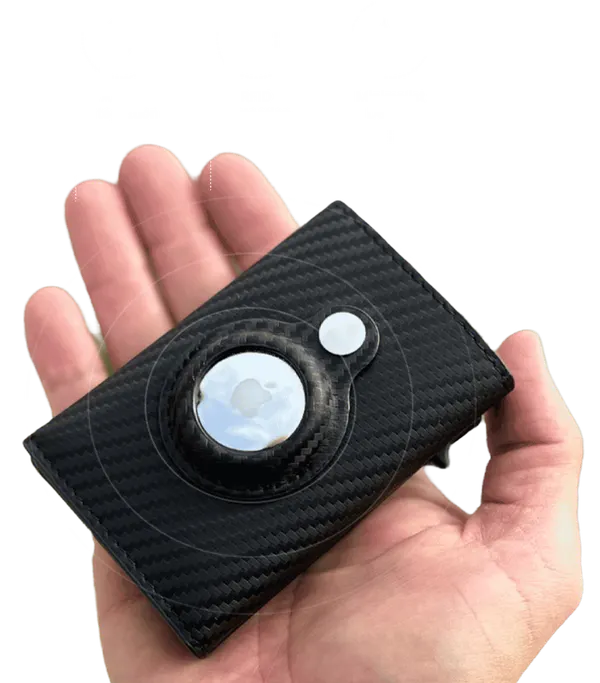
If you want a wallet that's easy to care for and keeps your cards safe and findable, the SafeTrack Wallet is the one we recommend. It's built exactly for this:
- Rugged carbon fiber shell that wipes clean in seconds — no leather to condition.
- RFID blocking to protect your contactless cards from skimming.
- Slide-lever quick card access that fans your cards out in one push.
- A secure, built-in AirTag holder (AirTag sold separately), so your wallet shows up in Find My.
Pricing on the official site: 1 wallet for $44.95 (+$4.95 shipping), 2 for $79.90 ($39.95 each), 3 for $105 ($35 each, free shipping, most popular), 4 for $140 and 5 for $165 ($33 each). Every order is covered by a 90-day money-back guarantee. Read the full breakdown in our SafeTrack Wallet review or see the bundles on the home page.
Frequently asked questions
How do you clean a carbon fiber wallet?
Empty it, brush out dust around the card mechanism, wipe the shell with a microfiber cloth lightly dampened with water (a drop of mild soap for grease), dry it right away and let it air-dry open before reloading.
Can I wash a carbon fiber wallet with water?
Only lightly, with a damp cloth. Don't soak it, run it under the tap or put it in the dishwasher, and avoid alcohol-heavy or solvent cleaners and abrasive pads.
Why does my pop-up card lever stick?
The most common causes are folded receipts or lint in the card bay and carrying more cards than the wallet is designed for. Clean the bay and stay within the stated capacity.
How often should I change the AirTag battery?
Replace the CR2032 coin cell when your iPhone shows a low-battery notice in Find My. Apple notes that some CR2032 batteries with a bitter coating may not work with AirTag, so check the packaging.
Does the SafeTrack Wallet include an AirTag?
No. The SafeTrack Wallet has a secure built-in AirTag holder, but the AirTag is sold separately and works with Apple's Find My on iPhone.