Quick answer
You can't control crowds, data breaches or what a thief decides to do. You can control where your wallet rides, how much is in it, whether it's shielded and tracked, and how fast you react if it goes missing. Put all your effort into that second column: a slim front-pocket RFID wallet with an AirTag holder, a lean card lineup and bank alerts cover the risks that actually reach most people.
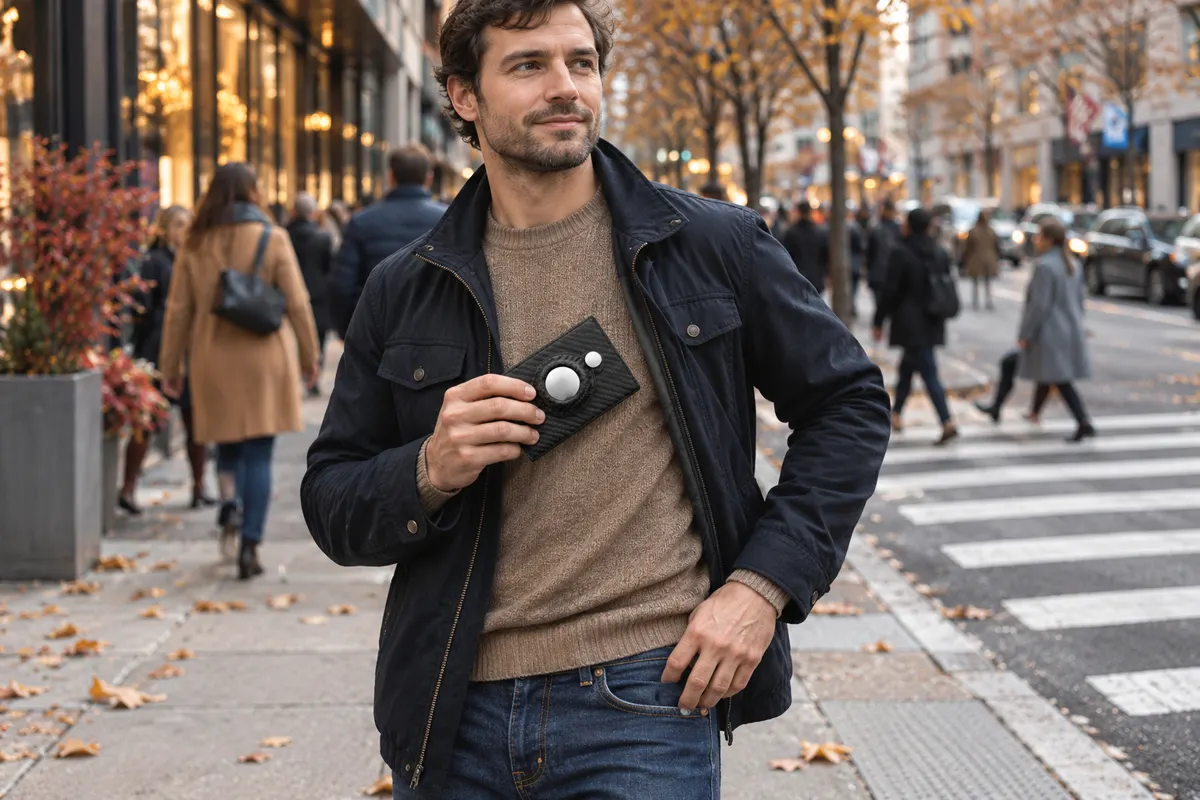
Most wallet advice either scares you (“thieves can scan your cards from across the street!”) or shrugs (“bad luck happens”). Neither helps you decide what to do on Monday morning. A better question is simpler: which parts of this problem are in my hands?
When you sort wallet risks into “I control this” and “I don't,” something useful happens. The scary list gets shorter, and the to-do list gets very concrete. Here is that sorting, done honestly, with the RFID question placed exactly where it belongs.
The two columns at a glance
| You control | You don't control |
|---|---|
| Which pocket or bag your wallet rides in | How crowded the train, stadium or mall is |
| How many cards, IDs and how much cash you carry | Whether a store or bank you use suffers a data breach |
| Whether contactless cards sit in an RFID-blocking wallet | Which payment technology your bank puts in your cards |
| Whether the wallet carries an AirTag with left-behind alerts | Whether a stranger who finds it decides to return it |
| Card alerts, contactless limits and card-lock settings in your banking app | How fast a merchant or bank processes a dispute |
| Your daily habits: one landing spot, a quick “tap check” before leaving | Weather, travel delays and the general chaos of the holidays |
Notice the pattern: the right column is about the world, the left column is about your wallet and your phone. That's good news, because those are the two things you carry every single day.
Column 1: what you control, and how to use it with full force
1. Where the wallet rides
A wallet in a back pocket is out of sight and out of feel. A slim wallet in a front pocket is something you notice the moment it moves. If you're still carrying a back-pocket bifold, our guide to front pocket vs. back pocket wallets shows how to make the switch without it feeling strange. In crowds, a zipped inner jacket pocket or a crossbody bag worn in front does the same job.
2. What's inside
The fewer cards and documents you carry, the less a lost wallet costs you. Leave the Social Security card at home, carry one or two payment cards, and keep a photo of the backs of your cards (with customer service numbers) somewhere secure on your phone. Our checklist on what to keep in your wallet walks through it card by card.
3. Shielding: where RFID fits
Contactless cards talk to readers at very short range. An RFID-blocking wallet keeps them quiet while they sit in your pocket, so the only time they work is when you take them out to pay. It's a passive layer: you never have to remember to turn it on. Consumer sources agree the bigger card-fraud threats are things like phishing, skimmers on card readers and data breaches, which is exactly why RFID works best as one layer inside a complete setup, not as the whole plan. Our deeper look at whether RFID-blocking wallets work explains the technology in plain English.
4. Tracking: turning “lost” into “found”
This is the lever most people underuse. An AirTag in your wallet, with Notify When Left Behind switched on in Find My, warns you when you walk away from it, and shows its last location if it's gone. A wallet like the SafeTrack Wallet has a built-in holder for the AirTag, so the tag sits flush instead of creating a bulge. You can't control whether someone else returns your wallet, but you can control whether you notice in two minutes or two hours.
5. Your bank settings
Spend ten minutes in your banking apps: turn on transaction alerts, set a contactless limit if your bank offers one, and find the “lock card” switch so you know where it is before you need it. If a wallet with your ID inside is ever stolen, the FTC's IdentityTheft.gov gives you a personal recovery plan.
6. Habits that cost seconds
- The tap check: phone, keys, wallet, every time you stand up from a table or leave a car.
- One landing spot at home, the same tray or hook every night.
- Pay, then pocket: the wallet goes back in the same pocket before you pick up your bag or coffee.
Column 2: what you don't control, and how to stop worrying about it
You can't empty a crowded subway car, prevent a retailer's data breach or choose what a stranger does with a wallet they find. Trying to control those things leads to anxiety, not safety. The practical response is to shrink their impact: a lean wallet means less to lose, alerts mean you see fraud early, and a tracked wallet means a missing one gets noticed fast. In other words, the left column is how you handle the right column.
The same idea applies when you travel. You don't control airport crowds, but you control what goes in the tray, which is why we wrote a guide to getting an RFID wallet with an AirTag through airport security.
A 15-minute setup that covers the whole “control” column
- Empty your wallet onto a table and remove anything you don't need daily (3 minutes).
- Move to a slim RFID wallet that fits your front pocket (1 minute once you have it).
- Add the AirTag to the wallet's holder and turn on Notify When Left Behind in Find My (3 minutes).
- Open your banking apps, switch on alerts and locate the card-lock button (5 minutes).
- Pick your landing spot at home and put the wallet there tonight (1 minute).
Our recommendation: the SafeTrack Wallet
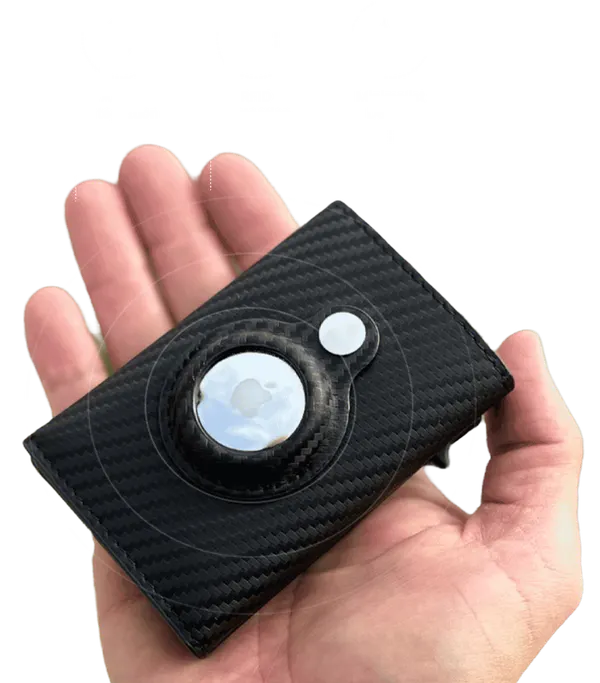
If you want one product that covers most of the “you control” column at once, the SafeTrack Wallet is the one we recommend. It combines the three physical levers in a single slim wallet: front-pocket size, RFID shielding and a built-in AirTag holder for left-behind alerts and location. It's the most practical way to act on everything in this guide without changing your whole routine.
- RFID-blocking carbon fiber body that keeps contactless cards shielded in your pocket.
- Built-in AirTag holder on the outside, flush and secure (AirTag sold separately).
- Pop-up card access and room for 1–14 cards plus up to 20 folded bills.
- Slim and light (about 1.7 oz), made to ride in a front pocket.
- From $44.95 on the official site, $35 per wallet in the 3-pack with free shipping from three wallets, backed by a 90-day guarantee.
Read our full SafeTrack Wallet review or compare every bundle on the home page.
Frequently asked questions
Is an RFID wallet worth it?
An RFID wallet is a simple, always-on layer that keeps contactless cards shielded while they sit in your pocket. It is most valuable when it also solves the bigger everyday problem of losing the wallet, which is why we recommend an RFID wallet with a built-in AirTag holder.
What is the biggest wallet risk I can actually control?
Physical loss and theft. Where you carry the wallet, how much is inside, whether it has a tracker with left-behind alerts and how fast you can freeze your cards all sit in your hands, and together they make the biggest difference.
Can I stop pickpockets completely?
No one controls crowds or other people's intentions. What you can do is make your wallet a harder target: front pocket, a slim profile you notice, zipped bags in crowds and a tracker so a missing wallet is noticed in minutes instead of hours.
What should I do first if my wallet is stolen?
Check the wallet's last location in Find My if it carries an AirTag, lock or freeze your cards in your banking apps, and report identity theft at IdentityTheft.gov if your ID or Social Security details were inside.
Does the SafeTrack Wallet come with an AirTag?
No. The SafeTrack Wallet has a built-in AirTag holder and RFID-blocking carbon fiber body; the AirTag is sold separately, and many people move the one they already own into it.
Identity-theft recovery steps: Federal Trade Commission, IdentityTheft.gov. AirTag, Find My and iPhone are trademarks of Apple Inc.; Tracker Pulse is not affiliated with Apple.