Quick answer
The easiest way to switch to a minimalist wallet is to give it one month and one job per week: week 1, empty your old wallet and track what you really use; week 2, load the new wallet with only those cards and set it up; week 3, test it on workdays, weekends and nights out; week 4, lock in the habits that keep it slim. A slim wallet with a built-in AirTag slot makes the switch easier, because the smaller wallet you’re still getting used to is also the one you can find in Find My.
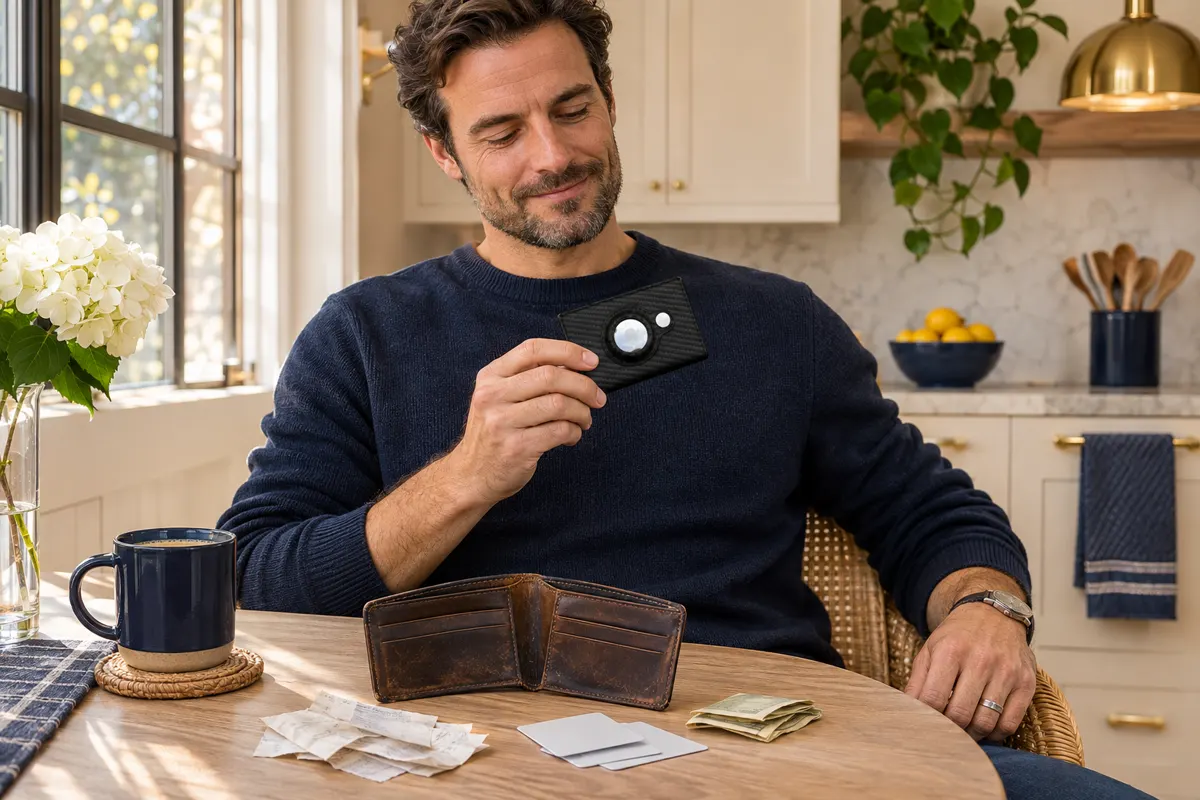
“Minimalist wallet” is one of the fastest-growing wallet searches in the US right now, and it’s easy to see why. A thick bifold is uncomfortable to sit on, hard to fit in a front pocket and full of things you haven’t touched in months. But most people who buy a slim wallet hit the same wall: on day one they try to squeeze the entire old wallet into it, it doesn’t fit, and the new wallet ends up in a drawer.
The fix is to treat the switch as a short project, not a purchase. Below is a simple 30-day calendar — one focus per week, a few concrete tasks, and a clear “done” checkbox for each. It doesn’t require any special apps, and you can start it tonight. If you’re still deciding what belongs in a wallet at all, keep our what to keep in your wallet checklist open in another tab.
Why a slow switch works better than a one-night swap
Your wallet is part of dozens of tiny routines: which pocket it lives in, where you set it down at home, how you pay at the coffee shop, what you reach for at the pharmacy counter. Change the wallet overnight and every one of those routines breaks at once. Spread over four weeks, each change is small:
- You learn what you really use before you decide what to drop, so you don’t leave behind the one card you need on Thursday.
- You test the new carry in different situations — commute, grocery run, gym, a weekend trip — instead of guessing.
- You build the habits that keep it slim, so receipts and spare cards don’t slowly creep back in.
The 30-day minimalist wallet calendar at a glance
| Week | Focus | What to do | Done when… |
|---|---|---|---|
| Week 1 (days 1–7) | Empty & audit | Take everything out, sort into four piles, shred the dead stuff, tally what you reach for each day | You have a written list of the cards you used this week |
| Week 2 (days 8–14) | Load & set up | Move only the everyday cards and a little cash into the slim wallet, create a “home card bank,” set up the AirTag in Find My | The old wallet stays home and the new one goes out with you every day |
| Week 3 (days 15–21) | Real-life test | Carry it on a workday, a grocery run, the gym, a night out and a weekend outing; note anything you missed | You’ve adjusted the card list at least once based on real use |
| Week 4 (days 22–30) | Lock in habits | Pick a fixed spot at home, add a monthly 2-minute wallet check to your calendar, decide what to do with the old wallet | The monthly reminder exists and the old wallet has a new job (or a new home) |
Week 1 (days 1–7): empty the old wallet and audit what you really use
Pick an evening, take everything out of your current wallet and lay it on the table. Then sort it into four piles:
- Daily: driver’s license, your main debit or credit card, maybe a transit card.
- Weekly: a second payment card, a gym or work badge, a health insurance card.
- Rarely: backup cards, store cards you use a few times a year, gift cards.
- Never / expired: old hotel keys, expired cards, faded receipts, punch cards for places you no longer visit.
Shred the expired cards and recycle the receipts. Snap a photo of anything you might need a number from later, and add loyalty or gift cards to your phone’s wallet app if the store supports it. For the rest of the week, put everything from the “daily” and “weekly” piles back into the old wallet and keep a simple tally on your phone: every time you pull out a card or cash, write it down. That list is the blueprint for week 2.
Week 2 (days 8–14): load the slim wallet and set it up
Now move into the new wallet. Only the cards on your tally list go in — for most people that’s 4 to 8 cards — plus a few small bills if your tally showed you actually paid cash. Everything else goes into a labeled envelope or small box at home: your “home card bank.” Rarely used cards are still close by; they just don’t ride in your pocket.
This is also the week to set up tracking. If your new wallet holds an AirTag, add the AirTag in the Find My app, give it a clear name like “Wallet,” and turn on Notify When Left Behind so your iPhone pings you if you walk away without it. That’s one of the reasons we like the SafeTrack Wallet for this plan: the AirTag sits in a built-in slot on the outside of the wallet, so the slim profile doesn’t turn bulky. If it’s your first time doing the setup, our day-one SafeTrack setup guide walks through it step by step.
Finally, retire the old wallet from daily duty. Leave it at home so you aren’t tempted to grab it “just for today.”
Week 3 (days 15–21): test it in real life
A minimalist wallet that works at your desk might not work at the gym or on a Saturday road trip. This week, deliberately carry it in different situations and pay attention to friction:
- A full workday: commute, lunch, coffee, the badge reader at the door.
- A grocery or pharmacy run: loyalty number, insurance card, paying at self-checkout.
- The gym or a run: does it fit in the pocket you actually use when you work out?
- A night out: front pocket in jeans or a jacket, paying a shared check.
- A weekend outing or short trip: parking, a museum or park pass, a backup card.
Every time you think “I wish I had X,” write it down. At the end of the week, adjust: add a card that kept coming up, and move out anything that never left the wallet. One or two swaps are normal — that’s the point of testing before you commit. If you’re unsure which pocket to settle on, compare front pocket vs. back pocket while you test.
Week 4 (days 22–30): lock in the habits that keep it slim
The last week is about making the new carry automatic so it stays minimalist past day 30:
- One fixed spot at home. A tray, bowl or hook by the door where the wallet, keys and phone always land.
- Receipts don’t live in the wallet. Take them out the same evening, or ask for digital receipts.
- A monthly 2-minute wallet check. Add a repeating reminder on day 30: remove what you didn’t use, check for expiring cards and make sure the AirTag battery shows as fine in Find My.
- A rule for new cards. A new card goes in only if something else comes out.
- Give the old wallet a new job. Some people keep it in a travel bag for a passport and foreign cash; others donate it.
What to look for in a minimalist wallet before day 8
If you don’t own a slim wallet yet, buy it during week 1 so it arrives in time for week 2. Look for a wallet that holds your real daily card count (with a little room to spare), has a spot for a few folded bills, protects contactless cards, slips into a front pocket without a bulge and can be found if it goes missing. That last point matters more than people expect: a new wallet in a new pocket is exactly the wallet you’re most likely to set down and forget during the first weeks. Our wallet glossary explains terms like RFID blocking and pop-up card access if you’re comparing models.
Our recommendation: the SafeTrack Wallet
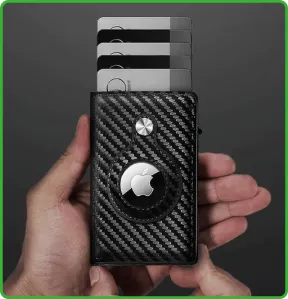
For a 30-day switch to a minimalist wallet, the SafeTrack Wallet is the wallet we recommend. It was made for exactly this kind of everyday carry: slim enough for a front pocket, organized enough that you don’t miss your old bifold, and trackable from day one.
- Built-in AirTag slot on the outside, so the tag sits flush and secure and your wallet shows up in Find My (AirTag sold separately).
- Slim carbon fiber body that holds 1–14 cards plus folded cash — plenty for a 4-to-8-card minimalist carry with room for a weekly extra.
- Pop-up card access, so your most-used card is one push away at the register.
- RFID-blocking card section and a 90-day guarantee, which covers your whole 30-day plan with time to spare.
Pricing on the official site: 1 wallet for $44.95 (+$4.95 shipping), 2 for $79.90, 3 for $105 ($35 each, free shipping, most popular), 4 for $140 and 5 for $165 ($33 each). Read our full SafeTrack Wallet review or compare the bundles on the home page.
Frequently asked questions
How many cards should a minimalist wallet hold?
Most people end up carrying 4 to 8 cards: ID, one or two payment cards, a health insurance card and one or two cards they use every week. Everything else can live at home or on your phone.
How much cash should I keep in a minimalist wallet?
Only what you actually use: a few small bills for tips, parking or places that don’t take cards. Track how often you pay with cash during the first week and size it from there.
Why take 30 days to switch wallets?
Because the hard part is not buying the wallet, it’s the habits around it. A month lets you see which cards you really need on weekdays, weekends and trips, and gives the new pocket routine time to feel automatic.
What do I do with the cards I stop carrying?
Shred expired and unused cards, add loyalty and gift cards to your phone’s wallet app when the store supports it, and keep the rest in a labeled envelope or box at home.
Does the SafeTrack Wallet come with an AirTag?
No. It has a built-in slot that holds an Apple AirTag securely on the outside of the wallet; the AirTag is sold separately.